By Estate HDR Team | Published: September 2026
The shoot went fine. Twelve rooms, brackets on all of them, packed up by two. Then the card lands on your desktop and the actual job starts. Real estate hdr photography is not one skill sitting in a camera bag. It's a chain of small handoffs that runs from the tripod to the merge to the file an agent finally uploads. Break one link and the whole set looks slightly wrong. This post walks the chain in order: how to bracket, what to send an editor, what to keep back, how to check a returned batch fast and where these jobs usually fall apart.
Quick Answer at a Glance
Shoot three to seven bracketed frames per room on a tripod at one fixed aperture. Send the untouched RAW files in a single folder per listing. An editor merges them, corrects color, pulls the windows and returns two JPG sets. You review the batch in one sitting on a big screen. Editing starts at $0.80 per photo.
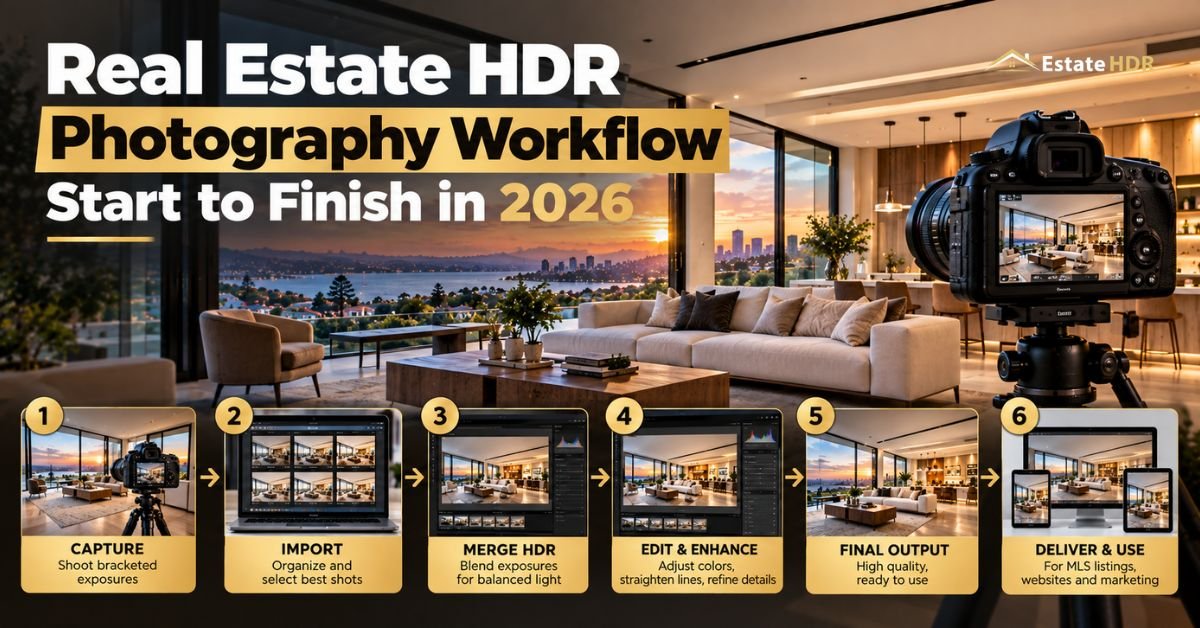
| Stage | What happens |
|---|---|
| Capture | Tripod, fixed aperture, 3 to 7 brackets at -2, 0 and +2 EV |
| Package | One folder per listing, original filenames, nothing pre-edited |
| Send | Upload the RAWs with a short note naming any special requests |
| Merge | Blending, window recovery, color and lens correction, QA |
| Return | Full resolution print JPG plus a web sized MLS JPG |
| Review | One pass per listing, revisions written against filenames |
Four Words You Will Hear on Every Job
The vocabulary here is small. Learn four terms and your notes to an editor stop being guesswork.
- Bracket set: the group of frames shot from one tripod position at different exposures, dark through bright, that get combined into a single image.
- Merge: the stage where those frames become one file. It can be automatic or hand blended.
- Flambient: a hybrid method mixing flash frames with ambient bracket frames so wall color stays honest while lamps still glow.
- Handoff: the moment files leave you and land with an editor. Nobody names this stage. It is where most volume work quietly goes wrong.
Real Estate HDR Photography Starts at the Camera
Everything downstream depends on frames that line up. Put the camera on a tripod. Not a beanbag, not a countertop. A tripod, locked tight enough that the shutter doesn't nudge it.
Pick one aperture and stay there for the whole house. Around f/8 to f/11 keeps a room sharp front to back without the softness that creeps in at f/16. Set ISO to base, usually 100. Let shutter speed do all the moving. If aperture drifts between brackets the depth of field shifts. Frames then merge into edges that look faintly doubled.
Auto exposure bracketing does the counting. Three frames at -2, 0 and +2 EV covers most ordinary rooms. Add frames when a window is doing something extreme. A west facing wall of glass at four in the afternoon can need seven.
"Composition matters more than gear. Shoot from a corner so two walls carry the frame. Keep camera height fixed all day, because a set shot at wandering heights looks restless in a scroll. Watch for movement inside the bracket. Ceiling fans, sheer curtains and a dog crossing frame two cause ghosting."
What Happens During the Merge
An editor opens the set and the first job is alignment. Frames get stacked, checked for drift and cleaned of anything that moved. Only then does blending start.
Automatic tone mapping pushes every part of the frame at once. That's how rooms end up looking like paintings, with gray halos around rooflines and skin toned walls. Hand blending works the other way. Shadow detail comes from the bright frame, window detail from the dark frame and the two get masked together where the light changes. Slower. Much better.
Color is the other half. Kitchens run orange under bulbs and north facing bedrooms run blue. One frame can hold both. Whites get neutralized, wood tones stay steady and the warm glow around a lamp is left alone because that part is true to the room.
Lens distortion and verticals come next, then noise cleanup in the shadows that got lifted. On exteriors a flat sky is usually replaced.
A day to dusk conversion rebuilds a bright daytime exterior as golden hour, which is a different job from merging a bracket set.
HDR and Flambient Editing Service Snapshot
|
|
| Field | Detail |
|---|---|
| Service | HDR and flambient photo editing">flambient photo editing |
| Accepted inputs | CR2, CR3, ARW, NEF, DNG, RAF, RW2, JPG and TIFF, 3 to 7 brackets |
| Delivered formats | Full resolution print JPG at 300 DPI plus a web sized MLS JPG, sRGB or Adobe RGB (1998) on request |
| Turnaround | 12 to 24 hours standard, 12 hour rush available |
| Starting price | $0.80 per photo |
| Client rating | 4.99 out of 5 from 340 plus reviews |
Full specs and the three tier quality check are laid out on the HDR and flambient editing page.
Three, Five or Seven Brackets
More frames is not automatically better. More frames is more time on site, more upload and more chances for something to move. Match the count to the light in front of you.
| Bracket count | EV spread | Frames from a 12 room shoot | Rough time per room | Best used for |
|---|---|---|---|---|
| 3 | -2, 0, +2 | 36 | about 2 minutes | Ordinary rooms, curtained windows, overcast days |
| 5 | -4 through +4 | 60 | about 3 minutes | Bright windows, white kitchens, high contrast hallways |
| 7 | -6 through +6 | 84 | about 4 minutes | Direct sun on glass, glass walls, dark rooms with a view |
Shooting seven everywhere sounds safe. In practice it doubles card space and adds an hour of upload for the two rooms that needed it. Count the stops, then shoot that.
The File Handoff Nobody Writes Down
Here is the part nobody writes about. It causes most of the pain at volume. One folder per listing. Name it so it sorts by date and reads as an address: 2026-09-04_1420-Ridgeway-Dr. No spaces, no ampersands, no apostrophes. That folder name travels through an upload form, a download link and somebody else's file system. Punctuation breaks all three at different points.
Leave the camera filenames alone. Sequence numbers are what tell an editor where one bracket ends and the next begins. Rename by hand and you have thrown away the only ordering signal in the set. Keep every frame too, including the one you think is useless. That dark frame is often the only one holding window detail.
- Send: the untouched RAW files, a short note listing anything unusual and one reference image if you want a look matched. Flag exterior frames needing different treatment in that note.
- Never send: half edited files, files already sharpened or cropped, two listings mixed into one folder, phone snaps dropped in beside the RAWs, screenshots of what you want or a ZIP with duplicate nested copies inside. Each turns a 12 hour job into a two day conversation.
Keep your originals. The folder that comes back is a delivery, not a backup. Store it beside the RAW folder and never on top of it.
Running One Listing Start to Finish
Five steps. Same order every time.
- Set the camera once. Tripod, f/8, ISO 100, bracketing on, RAW only. Lock it before you walk into room one.
- Shoot each room from a corner at a fixed height. Check the back of the camera after the first bracket, then trust it.
- Package on the same day. One folder, listing name and date, original filenames, brackets in shot order.
- Upload with a note. Say what needs extra attention, name the exterior frames needing special handling and say when you need it back.
- Review the returned set in one pass, send revisions as a single list, then release the files to the agent.
The discipline is in step three. Skip it and you spend evenings answering questions about which frames belong together.
How Estate HDR Handles a Bracket Set
- Submit: drop the RAW folder in through the client dashboard with your note attached. CR2, CR3, ARW, NEF, DNG, RAF, RW2, JPG and TIFF all go through as they are.
- Produce and QA: editors align, blend by hand, pull the windows and correct color, then every set clears a three tier quality check before Estate HDR releases it.
- Delivery: a full resolution print JPG plus a web sized MLS JPG come back inside 12 to 24 hours, with revisions included and no cap on how many you ask for.
See finished sets across eight property categories in the portfolio or send a real listing through free on a first order.
The Review Pass When You Run 40 Listings a Month
Reviewing photo by photo does not scale. Forty listings a month is roughly 1,200 files. Nobody checks 1,200 files carefully at 9 p.m. on a Thursday. Review by listing instead. Open the whole folder full screen, sorted by filename so the rooms play back in the order you shot them. Arrow through once at speed. You are not inspecting yet. You are watching for a jump: a room reading cooler than the one before it, a ceiling gone gray, a window that came back blank.
Then run four checks on the frames that made you pause. Are the verticals straight. Are the whites actually white. Is something visible through every window. Is there a halo along a roofline or the top of a doorframe. Ninety seconds, tops. Zoom to 100 percent on two frames only, usually the hero exterior and the main kitchen. Those are the images a buyer looks at longest.
"Write revisions as one numbered note per listing and reference filenames, never room names. "IMG_4471 window blown" gets fixed in an hour. "The kitchen one looks weird" gets fixed in a day. Keep a tally of what you send back. If the same fix appears three months running it is a camera habit rather than an editing miss. You have probably already guessed which one."
Three minutes per listing. Two hours a month for the whole book.
What the Editing Side Actually Costs
Editing is priced per photo, which makes the math easy before you quote a client.
"A typical single family listing comes back as thirty images. At $0.80 per photo that's $24 for the set. Run forty listings a month and you're at roughly 1,200 photos or about $960 against whatever you bill per shoot. The 12 hour rush lane costs more, though most shooters only reach for it in spring."
Volume rates sit in the pricing section of the site. The per photo figure is confirmed on the HDR photo editing service page.
"First orders are free, the cheapest way to test a vendor on a real listing rather than a sample. "
A two person team outside Columbus shoots roughly forty listings a month between them. They used to name folders after the agent, which meant three folders called Karen by Friday. Switching to date plus street address killed the confusion in a week. They now shoot three brackets in ordinary rooms and five where the light fights back. Every set goes off the same afternoon. Revision requests dropped by more than half once notes started quoting filenames.
About the author
Written by the Estate HDR Team. We process bracket sets for real estate photographers and brokerage marketing staff across the United States. This piece reflects what we see arriving in our upload queue every day. Estate HDR was founded in 2020 and its production, retouching and quality leads are named on the studio team page. The studio profile sits on the About Estate HDR page.
Getting the Chain Right
Good real estate hdr photography is mostly logistics. The camera settings are the easy part. What separates a smooth month from a messy one is the handoff and the review pass, the two stages nobody trains for. Get the folder right, keep the brackets whole, look at the returned set once with intent and the rest takes care of itself. Estate HDR edits bracket sets from $0.80 per photo with a free first order and unlimited revisions. Reach a human at info@estatehdr.com. For the deeper technical side of blending and window recovery, read our longer post on HDR and flambient editing.
Frequently Asked Questions
How many exposures does a small bathroom need?
Usually three. Small rooms have less glass and a shorter distance between the darkest corner and the brightest surface. A standard -2, 0 and +2 EV set covers it. Add two more frames if there's a window over the tub catching direct sun. Same answer if the room has a mirror bouncing a bright hallway straight back at you. Shooting seven in a powder room mostly buys you upload time.
Should I shoot brackets in aperture priority or manual?
Either works as long as the aperture never moves. Aperture priority with auto bracketing is faster because the camera handles shutter changes for you. Manual gives you certainty, which matters in rooms where the meter keeps changing its mind between frames. What breaks a merge is a shifting f-stop, since depth of field changes and the frames no longer overlap cleanly. Pick one mode and use it for the whole property.
Can I mix flash frames into the same folder as ambient brackets?
Yes. It helps if you label them. Flambient editing uses a flash frame to fix wall color and an ambient bracket for the lamps and windows. Put the flash frames in the same listing folder in shot order and mention in your note that flash frames are included. Without that note an editor may read the odd exposure as a mistake and drop it from the blend.
Do I really need a tripod?
For bracketed work, yes. Handheld frames drift by a few pixels between exposures and alignment software has to stretch them back together, which softens fine detail in tile grout, cabinet edges and window mullions. A tripod also locks your camera height so the whole set feels consistent as a buyer scrolls. If you're shooting a single well lit frame with no blending, handheld is fine.
What is the difference between HDR merging and flambient editing?
HDR merging combines only ambient frames. Whatever color the room's bulbs throw is what you start with. Flambient adds one or more flash frames, giving the editor a clean color reference for walls and ceilings. Flambient generally produces truer whites in mixed lighting. It costs more time on site. Many photographers shoot ambient brackets everywhere and add flash only in kitchens and bathrooms.
Will merged files meet MLS upload limits?
A full resolution 300 DPI export is often larger than an MLS will accept, which is why sets come back with a second web sized JPG. Upload the web file to the listing portal and keep the print file for flyers, brochures and any print piece. Limits vary between MLS systems. Check your local rules for maximum pixel width and file size before your first batch upload.
How long should editing take to come back?
Standard turnaround at Estate HDR is 12 to 24 hours, with a 12 hour rush lane when a listing goes live the next morning. Build your schedule backwards from the agent's launch date rather than the shoot date. If you shoot Tuesday morning and hand off the same afternoon, a Wednesday listing launch is comfortable. Same day launches need rush and a heads up before you upload.
Can an editor rescue a set where the tripod moved?
Often, though not always cleanly. Small drift between frames can be aligned. A bumped tripod that shifts composition halfway through a bracket usually means the editor has to build the image from fewer frames, which can leave a window brighter than you wanted. Reshoot the bracket on site if you notice the bump. Thirty seconds at the property beats a revision round two days later.
Should agents receive sRGB or Adobe RGB files?
sRGB for anything going online. It's the color space browsers and listing portals assume. Adobe RGB files uploaded to a portal often come back looking dull because the extra color range gets discarded on the way in. Adobe RGB (1998) is available on request and makes sense for print work handled by a proper print shop. When in doubt, send sRGB and keep the wider file archived.
Is bracketing ever the wrong choice?
Sometimes. A room with no windows and even artificial light gains almost nothing from seven frames. Twilight exteriors are usually handled differently because the whole point is the color of the sky. Rooms with constant motion, like a busy office lobby, fight the merge. Judge each space by how many stops sit between its darkest corner and its brightest window, then shoot accordingly.
SEO & Content Manager
✓ Verified AuthorSEO & Content Manager is a digital content strategist and architectural media researcher at Estate HDR, covering real estate photography workflows, property marketing trends, and MLS editing standards.
Ready to Elevate Your Real Estate Listings?
Experience 24-hour turnaround HDR editing, virtual staging, and day-to-dusk conversions with zero risk.