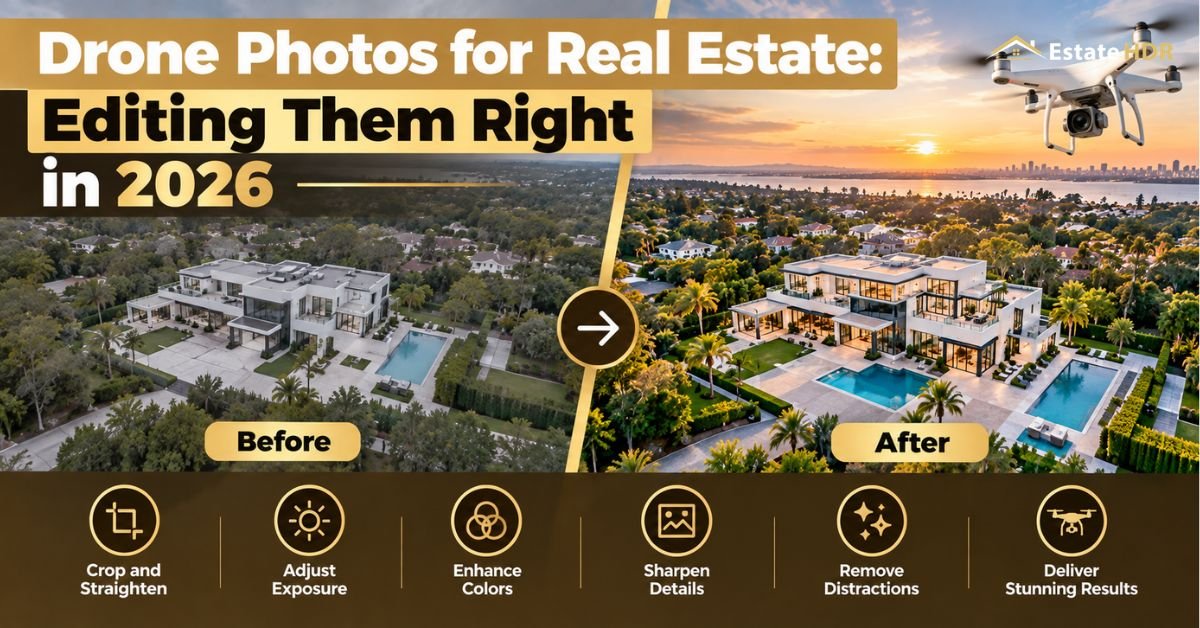
By Estate HDR Team | Published: October 2026
The flight went fine. The roofline is sharp, the light was decent, nothing is clipped. Then the drone photos for real estate land in the same gallery as the ground shots and something looks off. Greener grass. Cooler whites. A horizon that tilts a degree to the left. Buyers cannot name the problem. They feel it. They scroll faster. Almost every guide on this topic covers the flight. This one covers what happens after the memory card comes out.
Quick Answer at a Glance
| Question | Short answer |
| Biggest aerial mistake | Editing the aerials on their own instead of matching them to the ground set |
| Fix first | Horizon, then lens distortion, then colour. That order avoids recropping twice |
| Why horizon first | Straightening crops the frame. Do it last and you lose roofline you already composed for |
| Colour target | The ground shots. Aerials match them, never the reverse |
| Sky | Replace it only when the ground frames also had a replaced sky |
| Files to send the editor | Bracketed DNG where the aircraft supports it. JPEG only as a fallback |
| Typical cost | Editing is billed per photo. Aerials cost the same as interiors on most price lists |
Why Aerial Frames Look Different Even When Nothing Went Wrong
Three things make a drone frame behave unlike a ground frame. None of them are pilot error.
- The sensor is small. A drone camera gathers less light than the body on your tripod. It protects highlights by underexposing, then lifts shadows in processing. That lift brings noise and a slight green cast into lawns and trees.
- The lens is wide and heavily corrected in software. Straight edges near the frame edge bow outward. On a house, the thing that bows is the roofline, which is the one line a buyer reads for condition.
- The light is different at altitude. You are above the tree line. More open sky bounces into the scene. Whites go cooler. A kitchen shot at eye level and a roof shot from 120 feet will not share a white balance even when both are technically correct.
So the aerials are not wrong. They belong to a different scene. The edit is where the two scenes become one gallery.
The Order of Operations That Saves a Recrop
Most people edit aerials in the order the sliders appear. That costs you pixels.
1. Horizon and keystone first
A one degree tilt needs a crop to square up. A keystone correction on a tilted-down frame needs another. Do both before you compose the final crop and you spend that margin once. Do them after and you crop twice, which is where roofline and driveway disappear from frames that had them.
For front elevations, level the house rather than the horizon when the two disagree. Buyers read the building, not the hill behind it.
2. Lens distortion and chromatic aberration
Apply the profile correction, then look along the roofline at 100 percent. Profiles are built for an average. Your aircraft is not average. A residual bow of a pixel or two shows up as a sagging ridge once the image is 1200 pixels wide on a listing portal.
Purple fringing lives along the roof edge against bright sky. It is cheap to remove at this stage and painful to remove after sky work.
3. Exposure and colour, judged against the ground set
Open one finished ground exterior beside the aerial. Match the aerial to it. Grass first, because the eye calibrates on green. Then the roof and siding. Then the sky.
This single habit fixes more galleries than any preset ever will.
4. Sky, last and only if needed
Sky replacement goes at the end, after the house is correct. Replacing the sky first means you then colour-correct the house against a sky that was invented, which pulls the whole frame off. The method itself is covered in the post on sky replacement for listing photos.
Matching Aerials to the Ground Set
Here is the part no drone guide covers. It is also the part buyers actually notice.
A listing gallery is one scroll. Twenty-five frames in a row. The buyer never evaluates a single photo. They form an impression of the whole strip. Anything that breaks the run reads as cheap or as staged by two different people on two different days.
Three fields have to agree across the strip.
| Field | What to match | How far off is too far |
| White balance | Siding, trim and interior whites | A visible warm or cool shift between neighbouring frames |
| Green | Lawn and foliage saturation | Aerial lawns reading more vivid than ground lawns |
| Sky | One sky treatment across every exterior frame | Blue sky aerials beside flat grey ground shots |
The failure case is always the same. Ground exteriors get a warm, finished look. The aerial keeps its factory profile. Side by side, the house looks like it changed colour between the driveway and the roof.
This is why aerials belong in the same edit batch as the rest of the shoot rather than a separate upload. HDR and flambient editing treats the whole set as one gallery, which is also the cheapest way to keep the strip consistent.
Actually, there is a simpler test. Export the gallery as a contact sheet and look at it from across the room. Whatever jumps out is what the buyer sees first.
Bracketing From the Air: When It Earns Its Risk
Aerial bracketing divides photographers. The arguments on both sides are reasonable.
- Against: the aircraft drifts between frames. The brackets never align perfectly. Wind makes it worse. Trees move. Alignment artefacts show up in foliage as a doubled edge.
- For: a front elevation at dusk has the same exposure range problem as any interior. One exposure cannot hold a lit window and a bright sky at once.
The practical answer sits between them. Bracket three frames at one stop spacing, hover long enough for the sequence to finish. Keep the single exposure as a fallback. Send both to your editor. A blended aerial that aligns is better than a lifted single. A blended aerial that ghosted is worse than either. Only the person doing the blend can tell which one you got.
Keep the aircraft still. Most ghosting blamed on wind is actually a stick input during the sequence.
What the Editor Needs From the Pilot
Editing problems usually start at the handoff. A short list prevents most of them.
- Send DNG where the aircraft records it. JPEG hides the shadow data you need for the lawn and the roof.
- Name aerials so they sort with the shoot, not in a separate folder. The gallery order is the edit order.
- Flag which ground exterior is the hero frame. That is the reference everything else matches.
- Say what time of day each pass was flown. A morning aerial and an afternoon ground set need a deliberate decision, not a guess.
- Mention anything that must be removed: a neighbour car, a trampoline, a for-sale sign from a previous agent.
Five lines in the order notes save a revision round. Revision rounds cost more than the edit.
What Aerial Editing Costs Next to Everything Else
Aerial frames are priced like any other photo on most lists, which surprises people who expect a surcharge.
| Work | Published rate | Note |
| Photo editing, standard rate | $0.80 per photo | Volume tiers run $0.60 on the first 24 images, $0.55 at 25, $0.50 at 50, $0.45 at 100 or more |
| Day to dusk conversion | $4.00 per photo | Applies to aerials as readily as to ground exteriors |
| Item removal | $2.00 per photo | Cars, bins, signage, the neighbour trampoline |
| Video editing | $30.00 per video | For the aerial clips from the same flight |
| Turnaround | 24 hours | Same schedule as the rest of the set |
Those figures come from the published pricing block. Against a flight that took forty minutes of your day, the edit is the cheap part of the job.
Five Aerials Worth Flying. Three That Are Not
Pilots over-shoot aerials because the drone is already in the air. Galleries get bloated with frames nobody studies.
- Worth it: the front elevation from roof height, the plot boundary showing where the land ends, the position shot showing what is nearby, the rear garden with the house in frame, one hero at dusk.
- Not worth it: the top-down roof survey unless the roof is the selling point, the frame where the house is a speck in the middle, the identical shot taken four more times at four more altitudes.
Composition and flight planning sit in the drone photography guide, with camera settings in the drone settings post. Licensing and airspace are handled in the UAV rules article.
Two Corrections That Quietly Misrepresent a Property
Aerial frames tempt an editor into changes that cross a line. Two come up repeatedly.
The first is the boundary. A wide lens plus a tilt makes a plot look larger than it is. A crop can quietly remove the neighbour's fence from the frame. The photo is technically honest. The impression it leaves is not. If the boundary matters to the sale, show it rather than hiding it.
The second is what sits next door. Removing a parked truck is routine housekeeping. Removing a permanent structure on adjoining land is a different act. Buyers who discover it at the viewing do not come back. Estate HDR treats movable objects as fair game and fixed ones as off limits unless the agent confirms in writing that the object is being removed before completion.
Agents carry the risk here more than editors do. Write the rule into your shoot brief once and it stops being a decision on every job.
Aerial Stills Against Aerial Video
Pilots usually capture both on the same flight. The two deliverables behave differently once they reach a listing.
| Deliverable | Where it lands | What finishing it needs |
| Aerial still | Listing gallery, print flyer, portal thumbnail | Colour matched to the ground set, straightened, cleaned |
| Aerial clip | Social reel, listing video, agent profile | Stabilised, graded to match the ground footage, cut to length |
The mistake is grading the clip and the stills separately. A buyer who watches the reel and then opens the gallery sees the same house twice in two colour treatments. Finish them against one reference, the same way you would two cameras on a wedding.
Video is billed per video rather than per frame. A short aerial sequence rarely changes the invoice much. Estate HDR edits video at $30.00 per video on the same 24 hour schedule as stills.
The Delivery Check Before It Goes to the Client
Open the finished gallery at listing size, not at full resolution. Scroll it once at the speed a buyer would.
Three things get caught this way. A sagging roofline that looked fine at 100 percent. An aerial that is a half stop brighter than its neighbours. A sky that changed between frame nine and frame ten.
None of these show up when you check photos one at a time, which is how almost everyone checks them.
A Worked Example From One Shoot
A three bedroom property on a corner plot. Twenty-two ground frames, six aerials, one flight at four in the afternoon after an overcast morning shoot.
The ground set came back warm because the interiors were lit with tungsten lamps that needed neutralising. The aerials came back cool and slightly green, which is what an overcast lift does to a lawn. Dropped into one gallery, the house changed colour between frame four and frame nineteen.
The fix took three steps and no reshoot. The front exterior became the reference. Each aerial was matched to it on white balance, then the lawn saturation was pulled back to the ground value. The sky stayed as shot on all six, because the ground exteriors had an untouched sky and a replaced sky on the aerials alone would have been obvious.
Total extra editing time: under ten minutes across six frames. The alternative was an agent asking why the roof looked like a different property, which costs a revision round plus a phone call.
Nothing in that example needed better flying. It needed the aerials to be edited as part of the set rather than as six separate pictures.
About the author
The Estate HDR Team finishes listing photography for photographers, agents and brokerage marketing staff across the United States, with more than a million photos processed for over 500 agencies. The studio was founded in 2020. Its production, retouching and quality leads are named on the studio team page. The company profile sits on the About page.
The Short Version
Drone photos for real estate are made in the air and finished at the desk. Straighten, correct the lens, then match the aerials to the ground set before anyone touches a sky. Send bracketed files where the aircraft allows it. Keep the whole shoot in one edit batch so the gallery reads as one property. Estate HDR handles aerials and interiors together on a 24 hour turnaround. Start with a free first order or email info@estatehdr.com.
Frequently Asked Questions
How much do realtors pay for drone photos?
Most agents buy aerials inside a photography package rather than on their own. The line item is often invisible to them. Standalone aerial pricing swings widely by market, by whether video is included and by how far the pilot travels. Ask what the quote covers before comparing two of them. A package with five finished aerials and a package with twenty raw frames are not the same product at the same price.
Do you need a license to fly a drone for real estate photos?
In the United States, flying for any commercial purpose requires a remote pilot certificate under FAA Part 107. Real estate marketing counts as commercial. Registration of the aircraft and compliance with airspace restrictions also apply. Agents who hire a pilot should ask to see the certificate. Hiring an uncertificated pilot puts the listing brokerage in an awkward position if anything goes wrong on site.
How much does a drone cost for real estate photography?
Aircraft suitable for listing work span a wide range, from compact models that fit in a camera bag up to larger bodies with bigger sensors. The sensor size matters more than the price tag for photo quality, since it decides how much shadow detail survives. Budget for batteries, spare propellers and insurance as well. Those three items are usually underestimated by people buying their first aircraft.
How much do drone real estate photographers make?
Income depends far more on volume and on bundling than on hourly rate. A pilot who sells aerials alone competes on price. A photographer who sells interiors, exteriors, aerials and a floor plan as one visit earns several times more from the same drive. Travel time is the fixed cost in this business. The goal is more deliverables per trip rather than more trips.
How much should I charge for real estate drone photos?
Price the visit rather than the frame. Count drive time, setup, flight, battery swaps, file transfer and editing before you name a number. Many pilots quote a low per-photo rate and then discover the edit and the drive consumed the margin. Bundling aerials with the main photo set is both easier to sell and more profitable, because the second deliverable costs you almost no extra time on site.
What is the best editing software for real estate photography?
The common choices handle raw processing, lens correction and local adjustments well enough that the software is rarely the limiting factor. Consistency across a gallery matters more than which tool produced it. Photographers running volume often outsource the edit entirely, which removes the software question and replaces it with a brief. Whatever you choose, use the same tool for aerials and ground frames so the colour pipeline matches.
Can you use AI to edit real estate photos?
Automated tools handle broad corrections competently and keep improving. They struggle with the judgement calls: how far to push a sky, whether a reflection belongs, where a correction crosses into misrepresenting the property. Automated sky selections also tend to eat thin objects such as aerials, wires and bare branches. Use automation for the first pass if it saves time, then have a person check the edges.
What are the best bracketing settings for real estate photography?
Three frames at one stop spacing covers most interiors with windows. Five frames at one stop handles a bright window against a dark room. Seven is rarely needed and doubles the alignment risk. From a drone, keep the count low because the aircraft moves between frames. Shoot the sequence, then shoot one single exposure as insurance before you change position.
What are the best HDR settings for real estate photography?
Aim for a blend that keeps window views readable, ceilings white rather than grey and no halo along the window frame. Those three outcomes matter more than any slider value. The values differ by camera. If a merge produces a flat, evenly lit image with no shadow anywhere, it has gone too far. Rooms have shadows. Buyers read depth from them.
How do you edit real estate photos so they look consistent?
Pick one finished frame as the reference for the whole shoot, usually the front exterior. Match every other frame to it rather than editing each one on its own merit. Check the result as a contact sheet instead of frame by frame. Inconsistency is invisible at full size and obvious in a scrolling gallery, which is the only way a buyer will ever see the set.