By Estate HDR Team | Published: September 2026
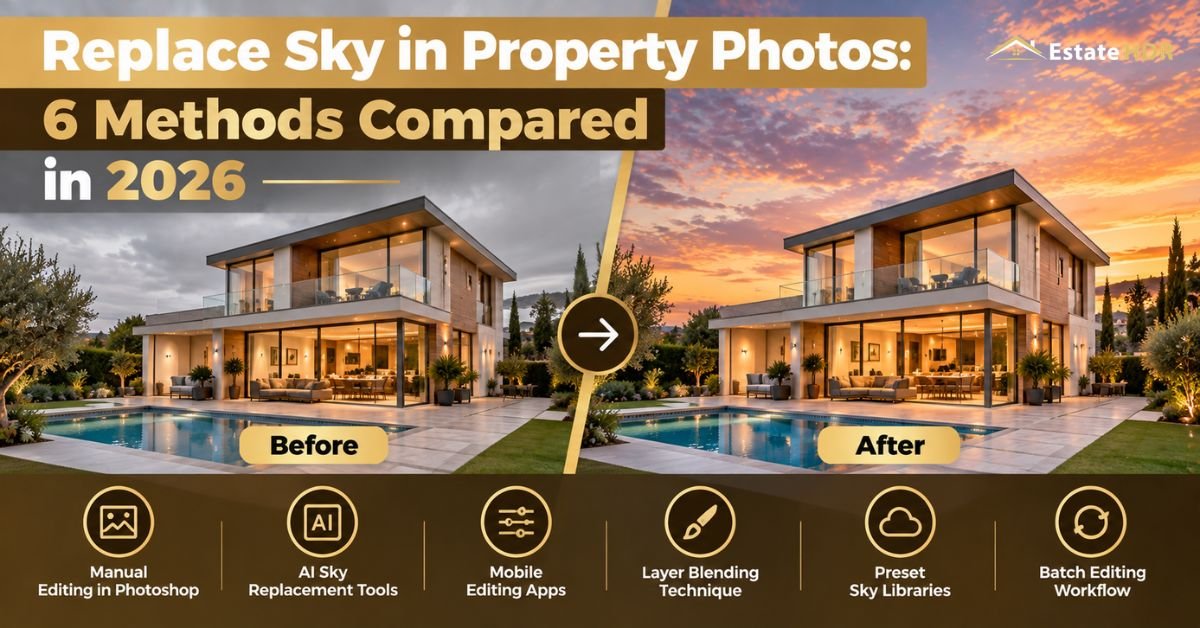
Overcast ruins more exterior shoots than rain does. The house is fine. The sky behind it is a flat white sheet that makes a $900,000 listing look like a foreclosure notice. There are six realistic ways to replace sky pixels in a property photo and they are not close to equal. One takes twenty seconds and falls apart on a bare maple. One takes twenty minutes and holds up on a phone screen. This post compares all six on the things that actually matter: edges, color spill, window reflections, batch consistency and what the whole job costs you across a week of listings.
Quick Answer at a Glance
Automatic tools inside desktop editors and browser apps are fastest and weakest at tree edges. Hand masking wins on quality and loses on clock time. Camera raw sky masks sit in the middle. Phone apps are for social posts only. Outsourced editing costs money and buys back the hours plus consistency across a set.
| Question | Short answer |
|---|---|
| Fastest method | Browser or desktop automatic panel at roughly 20 to 60 seconds a frame |
| Best edges on trees and wires | Hand masking in a desktop editor, or an outsourced editor doing the same work |
| Only method that fixes window glass | Hand compositing. Automatic tools leave the old sky in the reflections |
| Weakest for a full listing set | Phone apps. Each frame gets judged by eye on a small screen |
| Estate HDR starting price | $4.00 per photo for a day to dusk conversion">day to dusk conversion |
| Real decision | Not which tool is best. Which one you can repeat 30 times a week |
Four Words You Need Before Comparing Anything
Every method claims the same thing on its feature list. The differences hide behind four terms.
Automatic sky detection: the software decides on its own which pixels are sky. Fast. It's also blind to context like a chain link fence or a white gable.
Compositing: placing a new sky on its own layer and controlling exactly how the house blends into it. Slow. It's the only route to a clean bare branch.
Color spill: the tint a sky throws down onto siding, pavement and the underside of the eaves. A warm sky over a neutral gray house is the single most common tell.
Batch consistency: whether twenty frames from one address come back looking like one afternoon. This is where nearly every automatic method quietly breaks.
Three Desktop Routes to Replace Sky
Desktop editors offer two very different options plus a third in the raw side of the suite. The automatic sky panel is the one everybody tries first. You pick a sky from a menu, the software finds the horizon and the swap happens in under a minute. Roof lines come out fine. Straight, high contrast and easy. Then look at the maple. Fine branches get filled in, canopy gaps go solid and a faint halo traces anything thin. The panel does offer a spill slider. It applies one global warmth to the whole frame rather than putting light where the sun would put it.
"Manual masking and compositing is the other extreme. An editor builds the selection by hand, refines it through the branches, then rebuilds the window reflections and paints spill onto the surfaces that face the new light. Ten to twenty five minutes a frame for someone who does this daily. Nothing else matches it on quality. Nothing else costs as much of your evening either. "
Camera raw and catalogue software sits between them. Recent versions detect a sky as a mask and let you push color, exposure and clarity behind the house. It's genuinely useful for a dull blue that needs help. It is not a replacement, because you're grading the sky that was there rather than swapping in a new one. Cloud cover stays cloud cover. Glass stays wrong.
Phone Apps, Browser Tools and People
The other three methods live outside the traditional desktop suite. Phone apps are the fastest thing on this list to start and the hardest to trust. You judge a 6 inch screen, tap a sky preset and export. Detail you cannot see at that size is exactly the detail a buyer sees at full width on a laptop. Fine for a story post. Risky for the MLS.
Browser based AI tools have improved a lot. Upload, wait, download. Edges beat phone apps and roughly match the desktop automatic panel. They win on convenience because nothing gets installed. They lose on control, since most give you a preset list and a strength slider rather than a mask you can correct. Wires and railings still disappear.
Outsourced human editing is the sixth route and the one most volume shooters end up on. You are buying the manual compositing result without spending the manual compositing hours. The trade is money and a turnaround window. You have probably already priced this against your own time without meaning to.
Day to Dusk Service Snapshot
| Field | Detail |
|---|---|
| Service | Day to dusk conversion with golden hour sunset, deep purple dusk or blue hour twilight skies |
| Accepted inputs | Daytime exterior front and back elevations, sunny or overcast. Confirm the exact file extension list on the service page |
| Delivered formats | Full resolution files sized for MLS upload and print. Confirm the format list on the service page |
| Turnaround | 12 to 24 hours |
| Starting price | $4.00 per photo |
| Client rating | 4.97 out of 5 from 195+ reviews |
Window lamp activation, porch and path lighting, water surface reflections and color temperature rebalancing across siding are all listed on the day to dusk service page. Blue hour work with illuminated windows sits on the virtual twilight page instead.
The Six Methods Side by Side
Read the last column first. It's the one that decides your week.
| Method | Time per image | Skill needed | Tree and roof edges | Spill and reflections | Consistency across 30 images |
|---|---|---|---|---|---|
| Desktop automatic sky panel | 20 to 40 seconds | Low | Roof lines clean. Branches fill in | One global tint. Glass untouched | Drifts. Every frame re-detects alone |
| Desktop manual mask and composite | 10 to 25 minutes | High | Excellent on branches and wires | Painted by hand. Glass rebuilt | Excellent when one editor owns the set |
| Camera raw or catalogue sky mask | 1 to 3 minutes | Medium | Good on roof lines. Weak in canopy | Grading only. No new reflections | Good. Settings copy across the set |
| Phone app | 1 to 2 minutes plus transfer | Low | Poor once viewed at full size | None worth counting | Poor. Sky chosen by eye each time |
| Browser based AI tool | 20 to 60 seconds plus upload | Low | Fair. Halos on wires and railings | Basic auto warmth | Fair. Presets help. Output still shifts |
| Outsourced human editing | About 2 minutes of your time per set | None | Excellent on branches and wires | Painted by hand. Glass rebuilt | Excellent. One brief covers the set |
The Consistency Problem Nobody Compares
Every review of these tools tests one photo. Listings are not one photo. A single family home ships eighteen to twenty five images and maybe six of them show sky.
Here is what goes wrong. Automatic detection treats each frame as a fresh problem. The front elevation gets a sky with the bright patch on the left. The side yard, shot ninety seconds later from a different angle, gets the bright patch on the right. Both look fine alone. Side by side in a gallery they describe two different days at one address. Cloud scale wanders too, because the tool fits the sky to the frame rather than to the property.
Brokerage feeds make it worse. Four agents, four editing habits, one office page where all their listings sit in a grid. A buyer scrolling that grid sees the same purple sunset behind six unrelated houses on six different streets. Trust drops in a way no analytics dashboard will ever report back to you.
"Two habits fix most of it. Lock one sky file per address and use it on every exterior in the set, then check sun position against the shadows already in each frame. Automatic panels will not do either for you. A human editor working a whole set does both without being asked, which is the quiet reason outsourced work reads as more expensive than it is. "
Five Steps to Pick the Right Method for Your Next Shoot
Run this before you open any software.
- Count the sky frames in the set. Under three, hand work is realistic. Over six, you need a method that repeats.
- Zoom into the worst tree in the batch. Bare branches, wire or a railing crossing the roof means automatic detection is going to fail visibly.
- Check the glass. A front elevation with big windows or a pool needs reflection work, which rules out every automatic option.
- Decide the hero shot first. One image carries the listing. It deserves a different method from the other five.
- Multiply your per image time by your weekly volume before you commit. Do that math in minutes, not in seconds.
How Estate HDR Runs a Sky Job
- Submit: upload the exterior frames for one address together, pick golden hour, purple dusk or blue hour and say which frames are the hero shots.
- Produce and QA: an editor masks by hand through branches, wires and railings, matches the sun to the shadows already in the frame, carries the sky color onto siding and glass, then reviews the whole set together at 100 percent and at thumbnail size.
- Delivery: files return within 12 to 24 hours as one matched set rather than six separate edits.
Thirty seven finished works with before and after sliders sit in the live portfolio. A free first order lets you run your own worst tree through the process before you commit anything.
What Two Minutes an Image Really Costs at Volume
Per image timings look harmless. Weekly totals do not. Take a photographer shooting three listings a week with roughly ten sky frames each. Thirty images. A browser tool at forty seconds a frame is twenty minutes of clicking. Feels free. Add upload time, download time, the file renaming and the two frames you redo because a wire vanished. You're closer to fifty minutes. Call it forty three hours a year.
Now run the same thirty through hand masking at fifteen minutes each. Seven and a half hours a week. That is a full working day gone, every week, on background replacement. Nobody sustains that through a busy spring.
"The camera raw route lands near ninety minutes a week. Outsourcing takes the same thirty images down to one upload plus a short note. Ten minutes of your week, a cost per image and an overnight wait. "
The number worth tracking is not time per image. It's hours per month, plus how many of those hours you spent doing the same edit twice.
What It Costs and What Doing It Twice Costs
Estate HDR prices a day to dusk conversion from $4.00 per photo with a 12 to 24 hour turnaround. Blue hour twilight work with illuminated windows and landscape lighting starts at $6.00 per image. Ten dusk exteriors for one listing come to $40. Software runs the other direction: a subscription is a fixed monthly cost and your labor is the variable one.
Redoing the job is the expense nobody budgets. A halo spotted after the listing went live means pulling the image from the MLS, replacing it on two portals, reprinting a flyer and explaining the delay to a seller. That afternoon costs more than a year of edits on that address.
Current per image rates for every service sit in the pricing block.
One example. A photographer in the Pacific Northwest covers three listings a week from November through February and sees blue sky maybe six days all winter. She had been running an automatic desktop panel at forty seconds a frame. It looked acceptable until a brokerage put four of her listings on one page and the skies clearly disagreed with each other. She moved the exteriors to a dusk conversion at $4.00 per photo, roughly $120 a week across three addresses. That bought back about four hours a week she had spent on cleanup and redos. The hero shots now match inside each set. That was the part the automatic panel could never solve.
About the author
The Estate HDR Team edits exterior and interior real estate photos for photographers, agents and brokerage marketing staff across the United States. More than a million photos have been processed for over 500 agencies. Estate HDR was founded in 2020 and its production, retouching and quality leads are named on the studio team page. The studio profile sits on the About Estate HDR page.
The Short Version
Pick the method by your volume, not by a single test frame. Automatic panels are fine for a clean roof line against open sky. Bare trees, wires, big windows and a full listing set need hand work, whether that hand is yours or somebody else's. Decide how you replace sky before the shoot rather than after, because the choice sets your week. Estate HDR does the hand version from $4.00 per photo with a free first order and a 12 to 24 hour turnaround. Questions go to info@estatehdr.com.
For the lighting side of the same job, window activation, porch lanterns and how far to push a sunset, read Day to Dusk Conversion Secrets for Real Estate Agents.
Frequently Asked Questions
Which sky replacement method is most accurate on trees?
Hand compositing in a desktop editor, without much competition. An editor can work through a bare canopy one section at a time and keep the small bright gaps between twigs that make a tree read as real. Automatic detection treats those gaps as noise and fills them, which produces a cutout shape with a soft rim. The gap is widest in winter. On a summer canopy with dense leaves, automatic tools look far better than they actually are.
Is the free browser tool good enough for MLS photos?
For a simple exterior, often yes. A clean roof line against open sky with no wires and no large windows is the easiest version of this job and browser tools handle it. Problems appear with power lines, iron railings, pools and glass doors. Check the download size too, since several browser tools return a smaller file than you uploaded. Portals want full resolution. Compare the output dimensions against the original before you upload anything.
Can I batch process a whole listing folder at once?
Some catalogue software and some paid platforms allow it. The results are not equal. Batch tools apply the same preset to every file yet still detect each sky separately, which is why frame three and frame nine can end up with different cloud placement. Batching saves clicks. It does not deliver a matched set on its own. Someone still has to look at the exteriors side by side before they go live.
Do phone apps work for real estate exteriors?
They work for social content. They are a poor fit for a listing gallery. The screen you judge on is too small to reveal halos. Most apps also re-encode the image on export, which softens fine detail and can drop the resolution a portal expects. There is also no way to fix window reflections. Use a phone app for a story post or a quick preview, then edit properly for the MLS.
How long does hand masking a sky actually take?
Ten to twenty five minutes per frame for an experienced editor, depending on what crosses the sky. A plain gable against open air is quick. Bare deciduous trees, an antenna mast, overhead cable and a pool that has to mirror the new sky can push a single image past half an hour. Speed comes from repetition rather than shortcuts. An editor doing this all day is roughly four times faster than a photographer doing it weekly.
Does the software matter more than the sky file?
The sky file matters more than most people expect. A sky shot with the light coming from the left cannot go behind a house whose shadows fall to the left. No amount of edge quality saves that. Cloud scale matters too, because dramatic formations behind a small ranch home look like a movie poster. Keep a small library of calm, correctly lit skies and reuse them rather than reaching for the most striking option.
Will an automatic tool handle window reflections?
No. This is the clearest dividing line between automatic and manual methods. Automatic panels change the sky region and sometimes apply a global warm tint. They do not know that the front windows are mirroring the old overcast. You end up with an amber sunset above the roof and a flat gray reflection in the glass below it, which is two different afternoons in one photo. Only hand work rebuilds those surfaces.
What does outsourcing a sky edit cost per listing?
At Estate HDR a day to dusk conversion starts at $4.00 per photo. Six exteriors from one address land around $24 and ten come to $40. Blue hour twilight work starts at $6.00 per image. Most photographers do not send every exterior. They pick the hero shot plus two or three supporting frames and leave the rest as corrected daylight, which keeps the per listing cost low.
How do I keep a whole brokerage feed looking consistent?
Agree on a house style and write it down. Name the sky type, the time of day and how strong the color push should be, then hand that same note to whoever edits. One sky file per address, reused across every exterior in that set. If several photographers feed one office page, the note has to travel between them. Consistency is a documentation problem more than a software problem.
Which method should a photographer starting out choose?
Start with the automatic panel in whatever editor you already own and learn what it gets wrong. Shoot one house with a bare tree, run it through, then zoom to 100 percent. That single test teaches more than any tutorial. Once your volume passes about twenty sky frames a week, the arithmetic stops favoring your own hours. Send the hero shots out and keep the easy frames in house.