By Estate HDR Team | Published: September 2026
A seller asks for a virtual tour. You say yes. Then the questions start. Do they mean spinning 360 panoramas, a scanned model with a doll house view, a video with music under it or the plain photo carousel the portal already builds? Search virtual tour real estate and every vendor sells something different under the same three words. That vagueness costs money. The wrong format on the wrong house buys you a re-shoot, an irritated seller or a listing page nobody waits for. This post puts the four common formats side by side: what each takes to produce, which price band it suits and what it costs to keep alive.
Quick Answer at a Glance
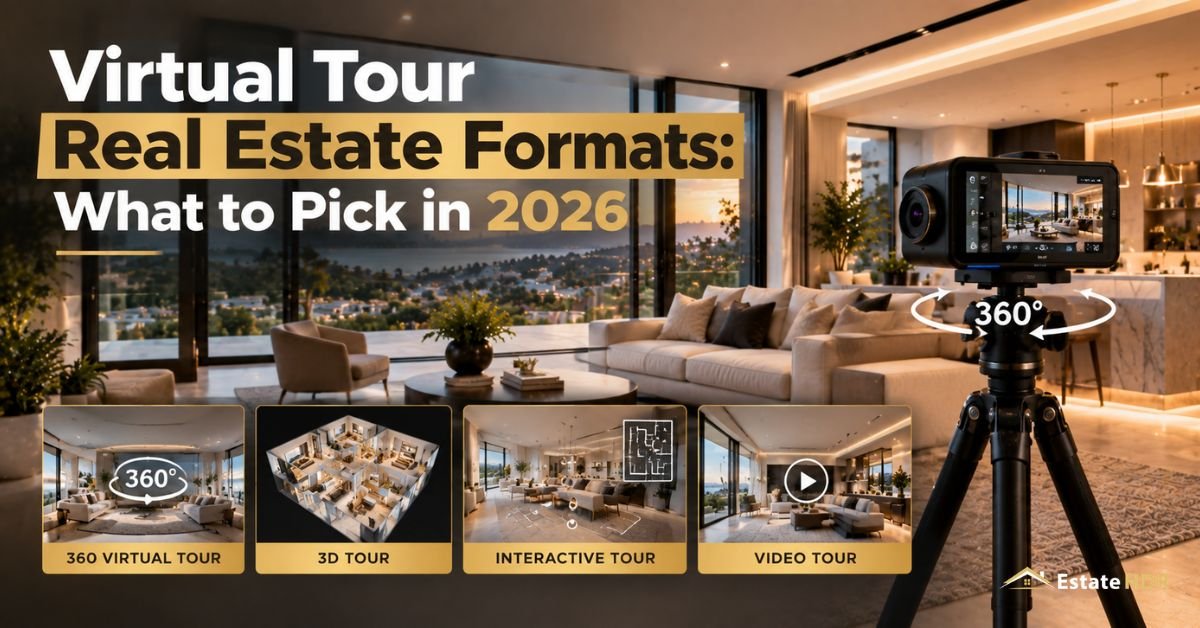
Four formats do almost all the work. A 360 photo tour links room panoramas with clickable arrows. A scanned tour builds a measurable 3D model with a doll house view. A guided video walks one path with narration or music. A still photo carousel is the plain image set. Pick by price band, layout and time on market.
| Format | Where it earns its keep |
|---|---|
| 360 photo tour | Mid band homes, condos and townhomes that need layout clarity fast |
| Scanned doll house tour | Upper band listings and out of state buyers who want to measure a wall |
| Guided video walkthrough | Lifestyle heavy homes, acreage and anything with a story between rooms |
| Still photo carousel | Entry band, rentals and fast turn listings |
| A floor plan beside any of them | Every band. The plan is the map the tour needs |
| Cheapest to keep online | Stills, then video, then 360 panoramas, then scanned models |
FIve Words Vendors Use Loosely
Two studios can quote the same job and mean different products. Five definitions clear up most of it.
- Panorama: one photo covering a room in every direction from a single tripod position, viewed by dragging.
- Hotspot: the clickable arrow that jumps a viewer from one panorama to the next. Hotspots turn loose panoramas into a tour.
- Point cloud: the depth data a scanning camera collects while it spins. That data lets a tour measure a wall and build a doll house view.
- Dollhouse view: the pulled back 3D model of a whole floor, seen from above with the roof lifted off.
- Unbranded tour: the same tour with your name, logo and phone number stripped out. Most MLS rules accept only the unbranded version in the tour field.
How Each Virtual Tour Real Estate Format Is Captured
A 360 tour is a tripod job. The camera sits at chest height in the middle of a room, spins once and moves on. Doorways and hallways get their own stop so the arrows have somewhere to land. Rooms with heavy backlight need bracketed captures at each stop or the windows blow out.
"Scanning is slower. The camera collects depth at every position, then software knits those positions into one model. Miss a corner and the model tears. Stairwells, mirrors and glass railings are where scans fail, because reflective surfaces confuse the depth sensor and leave holes the software fills badly. Nothing can move between positions. Not a chair. Not a curtain. "
Video is the only format shot on the move. One operator walks a planned path with a gimbal, usually front door to living space to kitchen to bedrooms and out. The path matters more than the gear. A route that doubles back reads as a maze.
Stills are the oldest method and the most forgiving. Bracketed frames at fixed angles, corrected afterward for exposure, color and leaning verticals. If the sofa gets replaced in week three you swap one frame instead of the whole product.
Which Format Fits Which Price Band and Property Type
Entry band listings and rentals rarely earn back a scan. Buyers at that level move fast and usually locally. They want a clean photo set with a floor plan attached. Anything heavier just slows the page down.
Mid band single family homes are where 360 tours pay. Panoramas answer the layout question without the scan bill. They also hold up on a phone. Condos and townhomes are the sweet spot because they are compact. Eight to twelve stops covers a whole unit.
Upper band property is different. Buyers are often remote. Sometimes a flight away. A measurable model saves that trip, which is where the scanned doll house view earns its extra production time. It also pairs with dimensioned plans, since the scan can feed the drawing directly.
Land and homes with long approaches are a video problem, not a panorama problem. A tour of a pasture is mostly sky. Aerial footage cut against a ground walk tells that story better. FAA Part 107 rules apply to whoever flies it. Vacant new construction has its own trap: empty rooms photograph as gray boxes with no sense of scale.
2D and 3D Floor Plan Service Snapshot
|
|
| Field | Detail |
|---|---|
| Service | 2D and 3D floor plans drawn for listings |
| Accepted inputs | Hand sketches, blueprints, architectural PDFs and Matterport scan links |
| Delivered formats | Print PDF, vector SVG plus high resolution PNG and JPG at 300 DPI |
| Turnaround | 24 to 48 hours |
| Starting price | $15.00 per floor plan |
| Client rating | 4.98 out of 5 from 140+ reviews |
Room labels, dimension formats and branding options are listed on the 2D and 3D floor plans service page.
Production Load, Side by Side
Numbers below are planning estimates for a three bedroom home of roughly 2,000 square feet. They compare effort between formats. Not vendor quotes.
| Format | Camera stops | What ships | Rework after a staging change | Viewer needs |
|---|---|---|---|---|
| 360 photo tour | 8 to 12 | Linked panoramas plus hotspots | Re-shoot only the rooms that changed | A browser |
| Scanned doll house tour | 25 to 40 | One 3D model, doll house and floor views | Re-scan the whole level | A browser plus a strong connection |
| Guided video walkthrough | 1 continuous path | One MP4 plus captions | Re-shoot and re-cut the entire clip | A video player |
| Still photo carousel | 20 to 30 frames | A JPG set sized for MLS and portals | Swap the affected frames | Any listing page |
Read the rework column twice. It decides your year. A scan looks beautiful on day one and expensive on day forty, because the model is one knitted object. Change the furniture and you cannot patch it. Stills and panoramas break into pieces you replace one at a time.
The Running Cost Nobody Puts in the Quote
Quotes cover capture. They almost never cover the months afterward.
A tour is a hosted product. Someone pays a monthly fee for the link to keep resolving. That meter runs the entire time the home sits on market, not the week the photos were pretty. A listing that lingers six months costs six times what the seller pictured. Some plans bill per active tour. Fifteen live listings means fifteen meters.
Then come the events that force a redo. Price drops usually arrive with a staging change or fresh paint. Sellers pull rugs and pack boxes as showings drag on. Every one of those dates the tour. A tour showing a room the buyer will not find is worse than no tour. Scanned models take the hardest hit, since the whole level gets recaptured.
Expirations add a second bill. A listing that expires and relists often needs media rebuilt under the new number. Old links shared to social or mailed to buyers quietly die. After closing there is takedown. A sold home's interior left online is a privacy problem for the new owner.
Budget the whole life. Capture, hosting per month, one redo, takedown. A drawn floor plan behaves differently, because it's a static file you own with no meter attached.
Pick the Format Before Anyone Drives Out
Five questions, answered at the listing appointment, prevent almost every re-shoot.
- Set the price band and the likely buyer. Local and fast means stills. Remote and deliberate means a scan.
- Walk the floor plan on paper first. Count doorways and turns. A layout that confuses you on paper will confuse a viewer on screen.
- Ask how long the seller expects to be on market and who pays hosting after month two. Get that answer in writing.
- Check the staging schedule. Never capture a scan the week before furniture arrives or leaves.
- Confirm the MLS field wants an unbranded link, then produce the branded version separately for your own site.
How Estate HDR Turns a Scan Into a Floor Plan
- Submit: upload a hand sketch, a blueprint, an architectural PDF or a Matterport scan link, with room names and any measurement notes attached.
- Produce and check: a drafter builds the 2D schematic or the 3D color perspective, labels every room in feet and inches or meters, calculates gross internal area, then a second reviewer checks dimensions against your source.
- Delivery: print ready PDF, vector SVG plus high resolution PNG or JPG at 300 DPI come back in 24 to 48 hours, branded with your agency logo, headshot and disclaimer if you want them.
Sample plans sit in the Estate HDR portfolio. The first order is free once you create an account.
What Buyers on Slow Connections and Screen Readers Get
Half your audience is on a phone, sometimes on a weak signal in a car outside the house. Formats do not treat those people equally.
A scanned model is the heaviest thing on a listing page. It downloads geometry and textures before showing anything. On a thin connection buyers watch a spinner then leave. Panorama tours are lighter but still pull a large image per room. Video streams at whatever quality the line allows. It degrades instead of failing, a boring advantage until it's the difference between a lead and a bounce.
"Screen readers are the sharper problem. A tour built inside a canvas element is often invisible to assistive software. No text, no headings and no keyboard path through the rooms. A blind buyer gets an empty box where the layout should be. Video without captions shuts out deaf viewers the same way. The Fair Housing Act frames equal access to housing information as a legal question, not a courtesy."
Fixes are cheap. Caption the walkthrough. Write real alt text on every still instead of IMG_4471. Publish a labeled floor plan beside the tour, because a plan with room names and dimensions written into it can be read aloud, described and printed.
What This Costs and Where the Money Goes
Capture and hosting are the moving parts. Drawing is not.
Floor plans start at $15.00 per plan and come back in 24 to 48 hours as PDF, SVG, PNG and JPG. Photo work is priced per image, with HDR photo editing starting at $0.80 per photo. Live rates for every service sit in the pricing block. The free first order lets you test a real file before committing a listing to it.
Compare that against the tour bill honestly. A drawn plan is one charge for a file you keep. A hosted tour is a subscription.
Here's how that plays out. A brokerage marketing coordinator handles eleven listings across two price bands. She used to order scans on everything because it felt safer. After the third re-scan caused by a staging swap she split the list: stills plus a drawn plan under the median, 360 panoramas plus a plan in the middle, scans held back for the two luxury homes drawing out of state interest. Same media budget. Fewer re-shoots.
About the author
Written by the Estate HDR Team. We draw 2D and floor plans">3D floor plans from sketches, blueprints and scan files for photographers, agents and brokerage marketing staff across the United States. More than a million listing images have passed through our editors. Questions go to info@estatehdr.com. Estate HDR was founded in 2020 and its production, retouching and quality leads are named on the studio team page. The studio profile sits on the About Estate HDR page.
Formats Change. The Job Does Not.
Every virtual tour real estate format on this page answers one buyer question: what is this house actually like inside? Pick the lightest format that answers it for your price band, then attach a floor plan that outlives the listing.
Estate HDR draws plans from your scan, sketch or PDF from $15.00 per plan, with unlimited revisions and a free first order. Mail info@estatehdr.com or reach the team here. For the case behind pairing a plan with any tour, read why 2D and 3D floor plans sell properties faster.
Frequently Asked Questions
Does a virtual tour have to be unbranded for the MLS?
In most markets, yes. MLS rules commonly bar agent names, phone numbers, logos and company sites from the tour field, because that field feeds syndication partners like Zillow and Redfin. Vendors handle this by producing two links from one capture, one clean and one branded. Load the unbranded link into the listing. Use the branded one on your own site and in email. Rules vary by board. Check your local policy before upload rather than after a compliance message arrives.
Can I shoot a usable tour with a phone?
For a rental or an entry band condo, often yes. Phone apps stitch panoramas well enough for a layout impression. A stabilized phone on a gimbal produces watchable walking footage. The limits show up in dark rooms and bright windows, where a phone sensor clips both ends at once. Anything with a listing price that justifies professional stills also justifies professional capture. Test one property, look at the result on a laptop rather than the phone that shot it, then decide.
How soon after the shoot should the tour go live?
Same day as the photos, ideally. Listings collect most of their traffic in the first week. Media arriving on day five misses the spike it was bought for. Practically that means booking capture before the listing goes active, not after. Ask any vendor for a delivery window measured in hours rather than business days. If the tour will lag the photos, publish the photos and the floor plan first, then add the tour link when it lands.
Do tours work for vacant land and new construction?
Land is a poor fit for panoramas, since a spin around a field shows mostly sky and fence. Aerial video paired with a ground walk of any structures tells the story better. New construction splits by stage. A finished model home scans beautifully. A shell with studs and dust reads as confusing to a retail buyer, though it works for trade audiences. Renderings and dimensioned plans usually serve pre construction sales better than any capture of the current site.
Should I redo the tour after virtual staging is added?
Only if the tour and the photos would then disagree. Buyers notice when listing images show a furnished living room while the tour shows an empty one. That mismatch raises trust questions on a video call. Two clean options exist. Keep everything empty and label it. Or stage the stills and the tour to match each other. Whichever you choose, disclose that the furnishings are digital. The FTC treats misleading advertising as an enforcement matter.
What happens to the tour when the home sells?
Somebody has to take it down. A sold home's interior sitting on a public link is a privacy issue for the new owner. Buyers occasionally ask for removal in the contract. Put takedown on your closing checklist next to sign pickup and lockbox return. Some hosts expire tours automatically after a set period. Others keep billing until cancelled. Check which one you have, because the difference is a live link plus a monthly charge nobody is watching.
Who owns the tour, the agent or the photographer?
The photographer or the studio owns the copyright by default. The agent gets a license to use the work. That license usually ends with the listing. Reusing a tour for a later sale of the same home needs permission you may not have. So does handing it to the next agent. Get the terms in writing before the shoot. Ask specifically about resale use, brokerage archives and what happens if you change firms while the listing is still live.
Does a tour count as a disclosure of the property condition?
Treat it as marketing, not disclosure. A tour shows a moment in time and cannot replace an inspection or the seller disclosure forms your state requires. The risk runs the other way. If editing hides a defect that a buyer later finds, they may argue they were misled. Keep removals cosmetic. Cords, bins and parked cars are fine. Water stains, cracks and structural damage are not. When in doubt, leave the flaw visible and let the inspection do its job.
How many photos should go with a tour on the portal?
Enough to carry the listing on their own. Portals surface photos first. Many buyers never click the tour link at all. A typical single family home needs twenty to thirty frames covering every room, the exterior from two angles and any feature that justifies the price. The tour is a second layer for buyers who want more. Never cut the photo count because a tour exists. The two audiences barely overlap.
What should narration in a guided video avoid saying?
Anything about who lives in the neighborhood. Fair Housing Act rules apply to marketing language. Describing an area by the people in it, the schools as a proxy or the religious buildings nearby creates real exposure. Stick to the property. Room sizes, materials, systems, year built and what was recently replaced. Skip phrases like family friendly and safe area. Write the script, read it out loud, then have a second person check it before you record.
SEO & Content Manager
✓ Verified AuthorSEO & Content Manager is a digital content strategist and architectural media researcher at Estate HDR, covering real estate photography workflows, property marketing trends, and MLS editing standards.
Ready to Elevate Your Real Estate Listings?
Experience 24-hour turnaround HDR editing, virtual staging, and day-to-dusk conversions with zero risk.